How Drupal Improves the Content Editing Experience
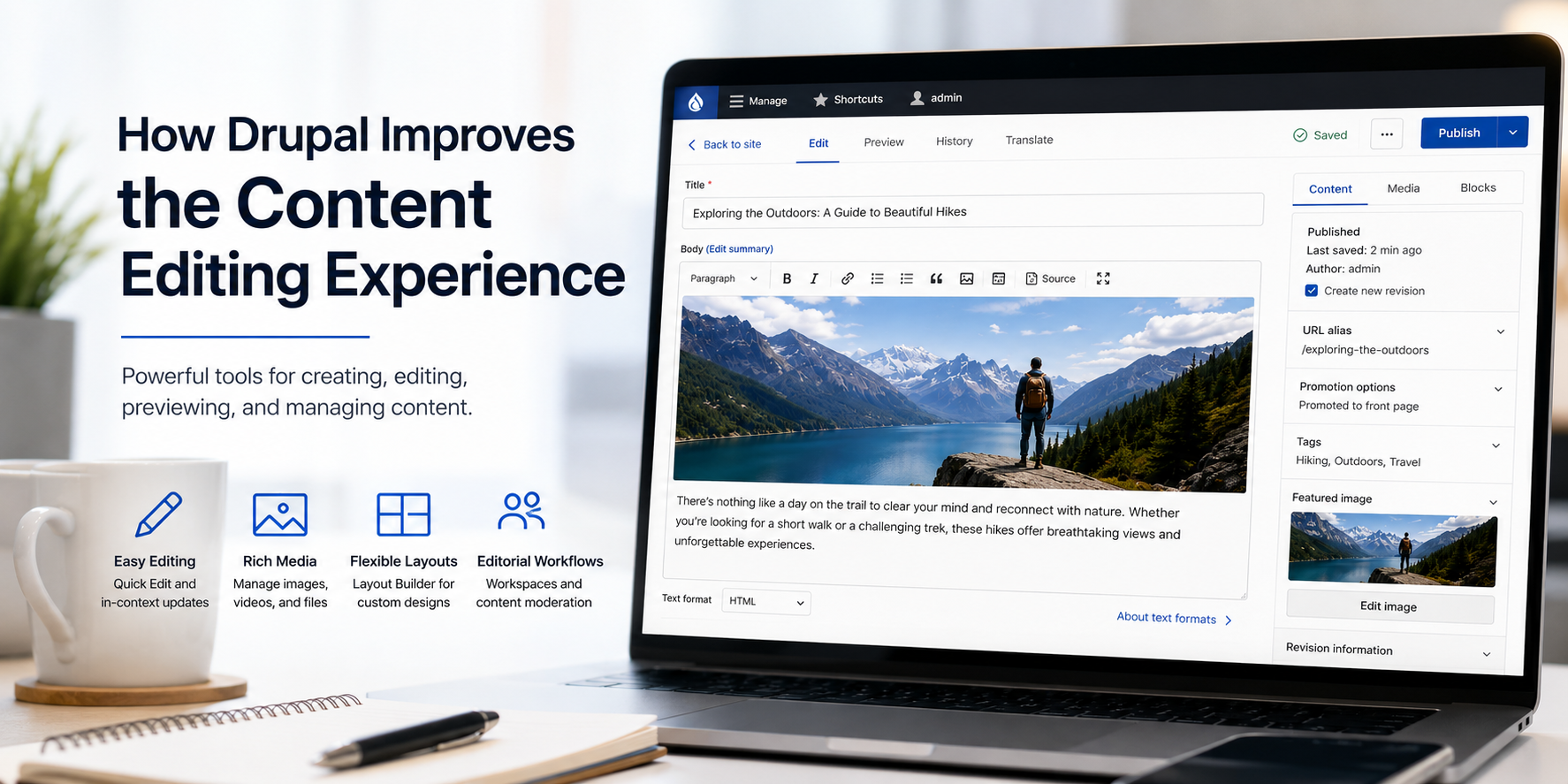
Introducing the Drupal Content Editing Experience
Editor’s note: This article was originally written for Drupal 8. The concepts remain relevant to modern Drupal, but some version-specific details have changed.
For years, one of the biggest challenges with Drupal was that the authoring experience could feel clumsy, technical, or time consuming. That experience could become even harder to manage when a site suffered from poor content architecture or inconsistent editorial workflows.
Modern Drupal gives content editors and site builders a much more flexible authoring experience. With the right configuration, editors can create pages, manage media, preview changes, adjust layouts, and move content through review workflows without needing a developer for every update.
What's a module? Drupal modules provide features and functionality that can be enabled and configured for a website. Drupal includes core modules that ship with Drupal, and contributed modules are added and maintained by the Drupal community.
Several Drupal tools help improve the content editing experience:
- Contextual editing tools help editors find and update editable content more easily.
- The built-in rich text editor provides a familiar WYSIWYG editing experience.
- Layout Builder allows editors and site builders to adjust page layouts without custom code.
- Media and Media Library provide a user interface for adding and managing images, documents, audio, and video.
- Workspaces help editorial teams prepare and review groups of related content changes before publishing them live.
- Workflows and Content Moderation support structured review, approval, and publishing workflows.
- Multilingual tools help teams translate content and manage multilingual authoring experiences.
Together, these tools make Drupal more approachable for editors while still giving site owners the flexibility and structure Drupal is known for.
CKEditor 5 and Text Formats Help Keep Editing Flexible and Safer
Modern Drupal uses CKEditor 5 for rich text editing. This gives editors a familiar writing experience for headings, links, lists, images, and other formatted content while still allowing site builders to control which formatting options are available.
Drupal text formats are just as important as the editor itself. A site can provide a simple, safer format for most editors while reserving more powerful HTML options for trusted administrators. This helps protect design consistency, accessibility, and site security.
The Built-in Rich Text Editor Provides a Familiar WYSIWYG Experience
Drupal’s rich text editing tools provide a WYSIWYG experience that feels familiar to editors who have worked in tools like Google Docs or Microsoft Word. Editors can add headings, lists, links, images, and other formatted content through a toolbar instead of writing HTML by hand.
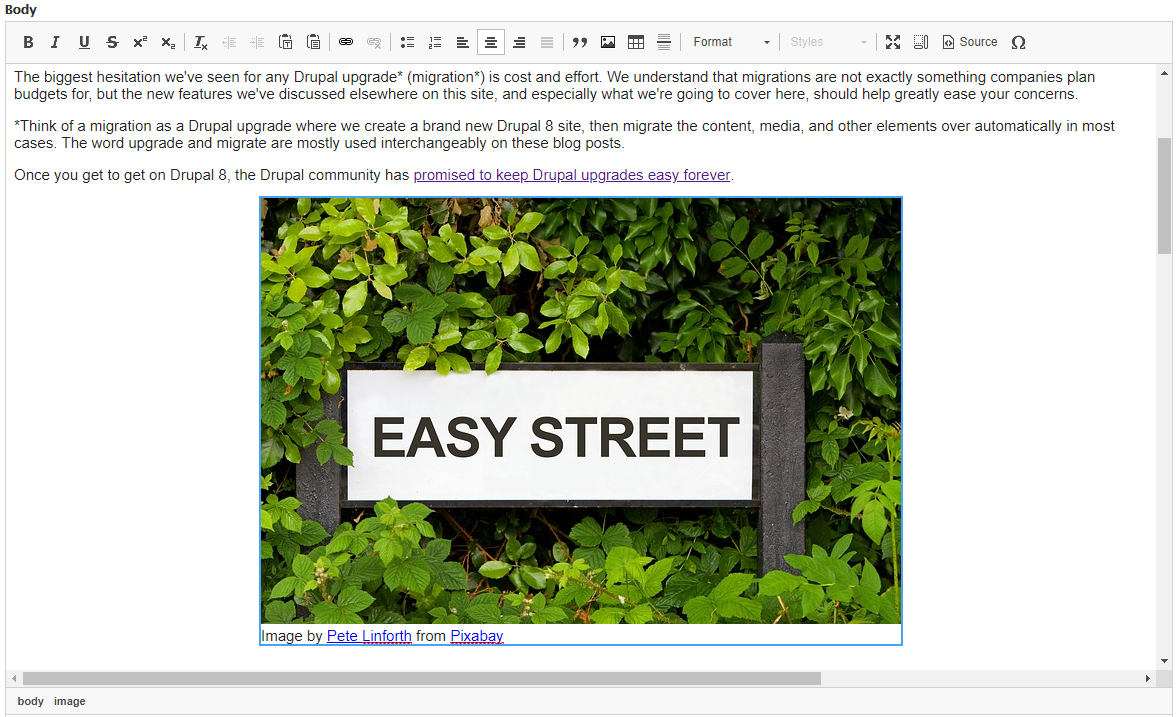
The rich text editor is useful for creating consistent-looking content across pages, blocks, and other Drupal entities. With thoughtful configuration, a site can give editors useful formatting options while still preserving the design system and accessibility standards.
Add Images, Captions, and Alternative Text
Drupal can be configured to make image placement and media management much easier for editors. Instead of manually managing markup, editors can upload or select media, add alternative text, choose alignment options, and include captions where appropriate.
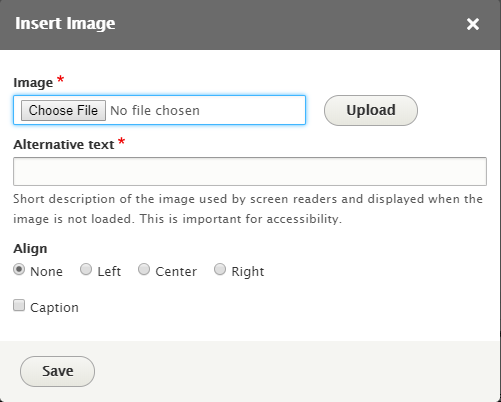
This matters for accessibility and content quality. Alternative text helps describe meaningful images for people using assistive technology, and captions can provide additional context when an image needs explanation.
Why the Drupal Content Editing Experience Is Better
Drupal’s authoring experience has improved because the Drupal community has invested heavily in usability, content modeling, media management, layout tools, and editorial workflows.
Content editors should not need to understand HTML in order to manage the majority of a site’s content. Modern Drupal makes that possible by combining structured fields, rich text editing, reusable media, layout tools, and workflow controls.
Tools like Layout Builder, Media Library, Workspaces, and Workflows can reduce long-term website ownership costs by giving editors more control over everyday content tasks while still allowing site builders to define guardrails.
Conclusion
Drupal gives content editors a flexible authoring experience for creating, editing, previewing, and managing content. With the right configuration, editorial teams can work more efficiently while maintaining structure, consistency, accessibility, and governance.
You can request free access to this Drupal demo site to test drive these features yourself without having to install or configure Drupal locally.