Using Drupal Multilingual Tools to Manage Translated Content
Introducing Drupal Multilingual Capabilities
Editor’s note: This article was originally written for Drupal 8. The concepts remain relevant to modern Drupal, but some version-specific details have changed.
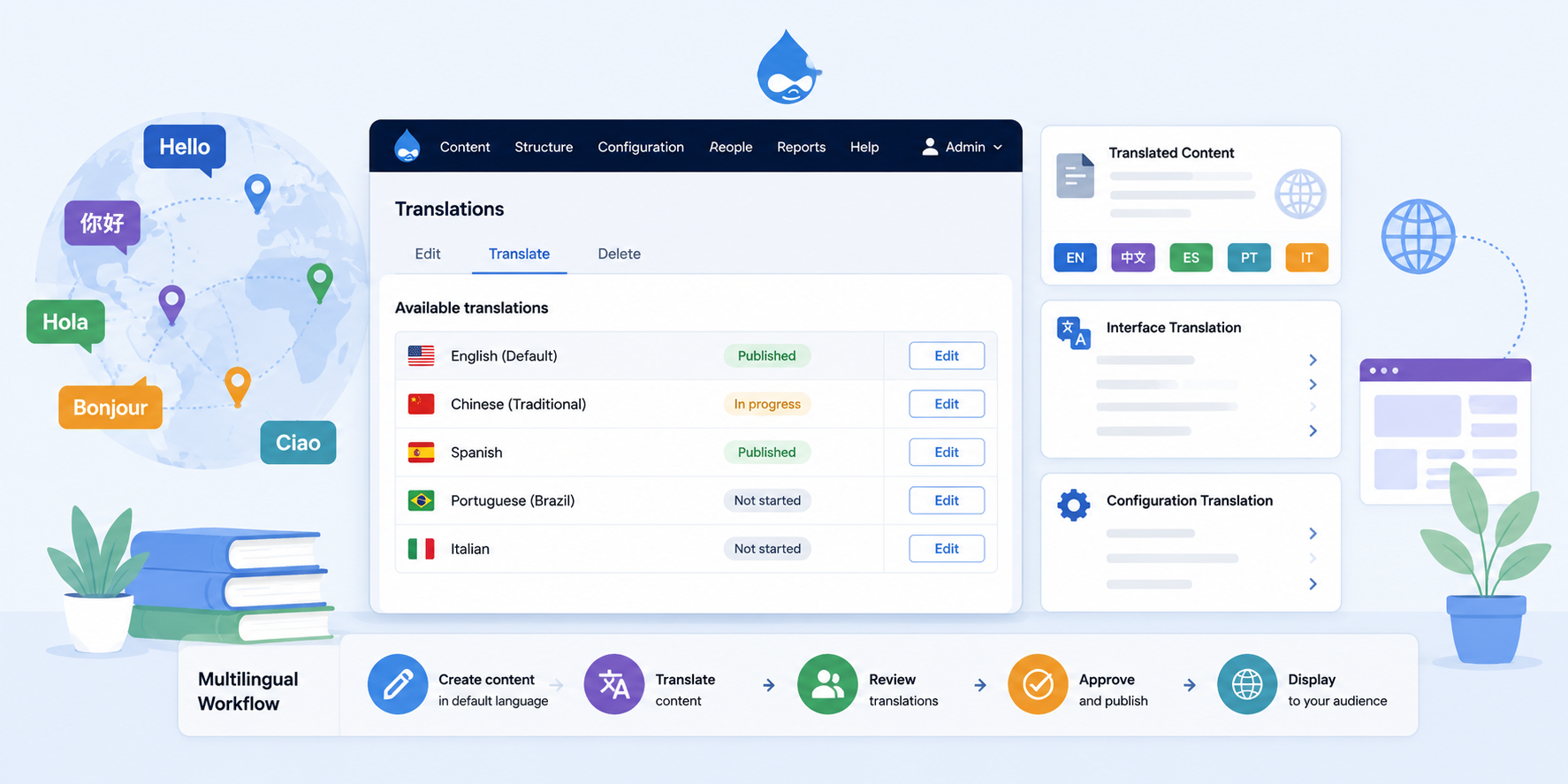
A multilingual website can provide translated content, translated navigation, translated interface text, and language-specific configuration. Drupal includes powerful multilingual tools that help site owners manage content and site settings across multiple languages.
If you're migrating from an older Drupal site, multilingual content and translation workflows can often be handled in a more structured way in modern Drupal.
Drupal’s multilingual system is built around a consistent content model. Content, media, taxonomy terms, users, menu links, blocks, and configuration can all participate in multilingual workflows depending on how the site is configured.
This matters because multilingual sites often need more than translated page text. A complete multilingual experience may include translated menus, labels, administrative interface text, URL paths, taxonomy terms, media metadata, and language-specific configuration.
You can also combine multilingual publishing with Drupal Workflows and Content Moderation to review translations before they are published.
Test-drive this Feature on this Demo Site
Core Drupal Multilingual Modules
What is a module? Drupal modules provide features and functionality that can be enabled and configured for a website. Drupal includes core modules that ship with Drupal, and contributed modules are added and maintained by the Drupal community.
Drupal includes four core multilingual modules:
- Language module: allows you to add and configure the languages your site supports.
- Content Translation module: provides tools for translating content entities such as pages, blocks, menu links, taxonomy terms, users, and other supported entity types.
- Interface Translation module: provides translation for interface text used in Drupal’s front end and administration screens.
- Configuration Translation module: allows configuration such as views, site settings, menus, vocabularies, and other configuration-managed labels to be translated.
If you only need to translate content, you may start with the Language and Content Translation modules. More advanced multilingual sites often also use Interface Translation and Configuration Translation so menus, labels, administrative text, and configuration-managed content can be localized as well.
Configuring the Language Module
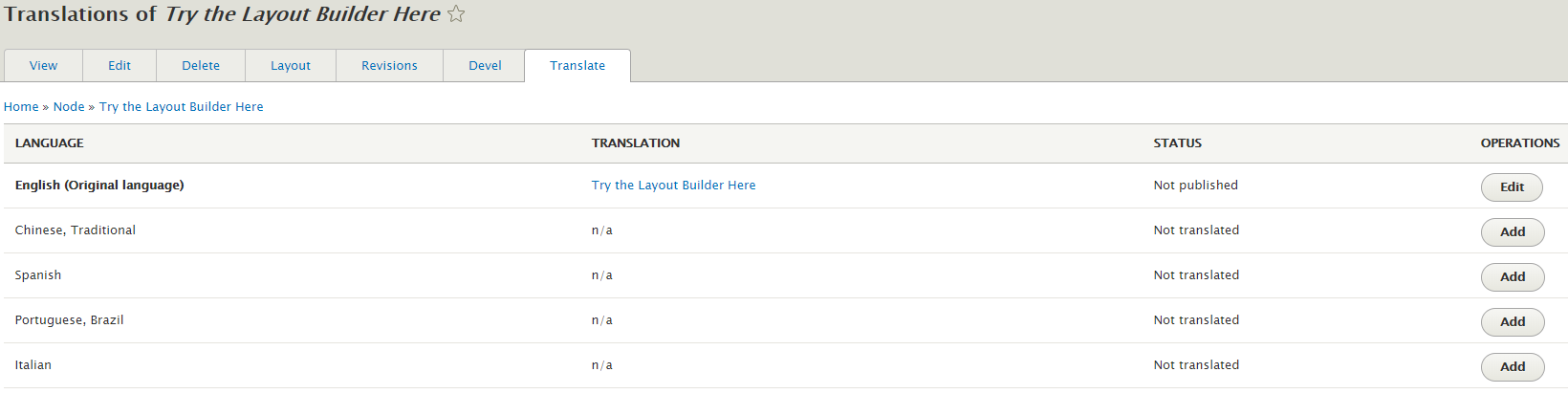
Drupal makes it straightforward to add and manage the languages available on a site. This demo site includes several languages, such as:
- English
- Chinese (Traditional)
- Spanish
- Portuguese (Brazil)
- Italian
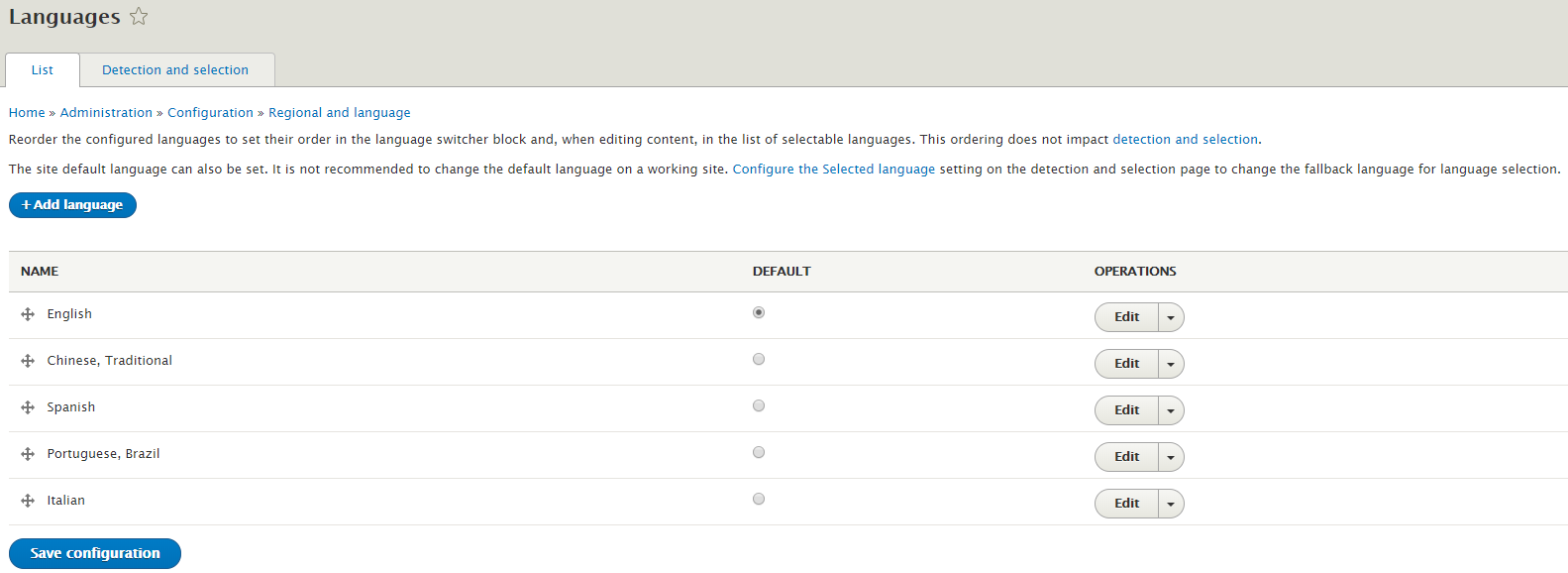
The language table allows administrators to manage available languages and choose the default site language.
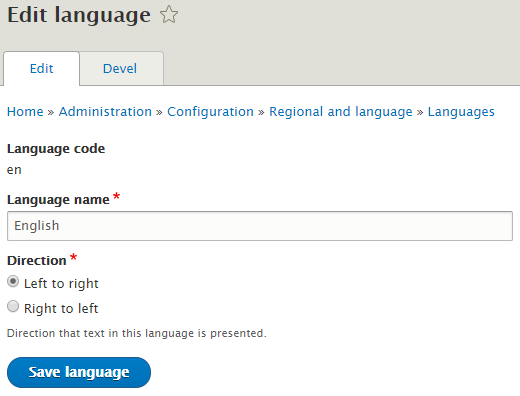
Language settings can include the language name and text direction. This is important for languages that use right-to-left text direction.
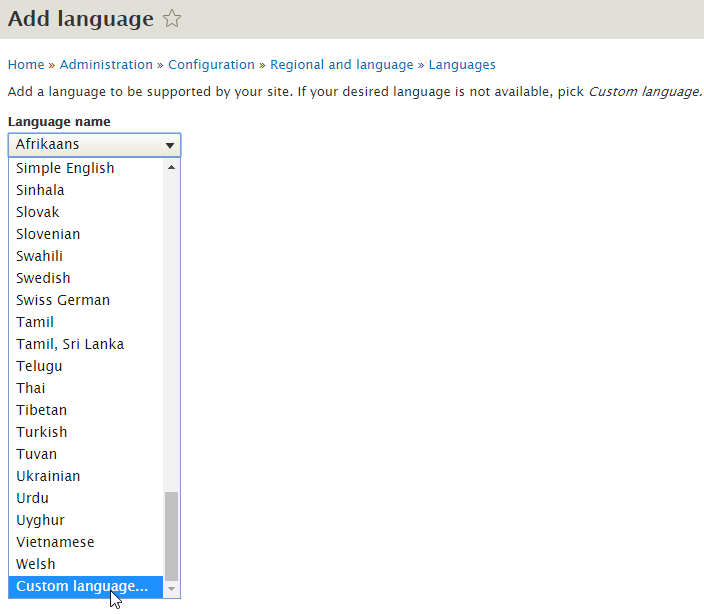
Drupal includes many languages to choose from, and custom languages can be added when a language is not listed.
Configuring the Content Translation Module
The Content Translation module lets administrators choose which entity types should be translatable.
For this demo site, translation can be enabled for entity types such as:
- Content
- Custom blocks
- Custom menu links
- Taxonomy terms
- Users
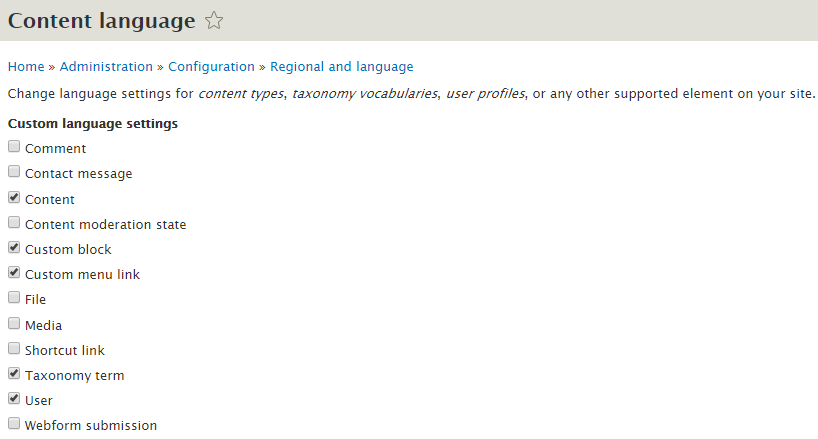
As modules add more entity types or fields, additional items may become available for translation if they support Drupal’s translation system.
For each entity type and subtype, administrators can choose exactly which fields should be translated. For example, a content type may have some fields that should be translated and other fields that should stay shared across all languages.
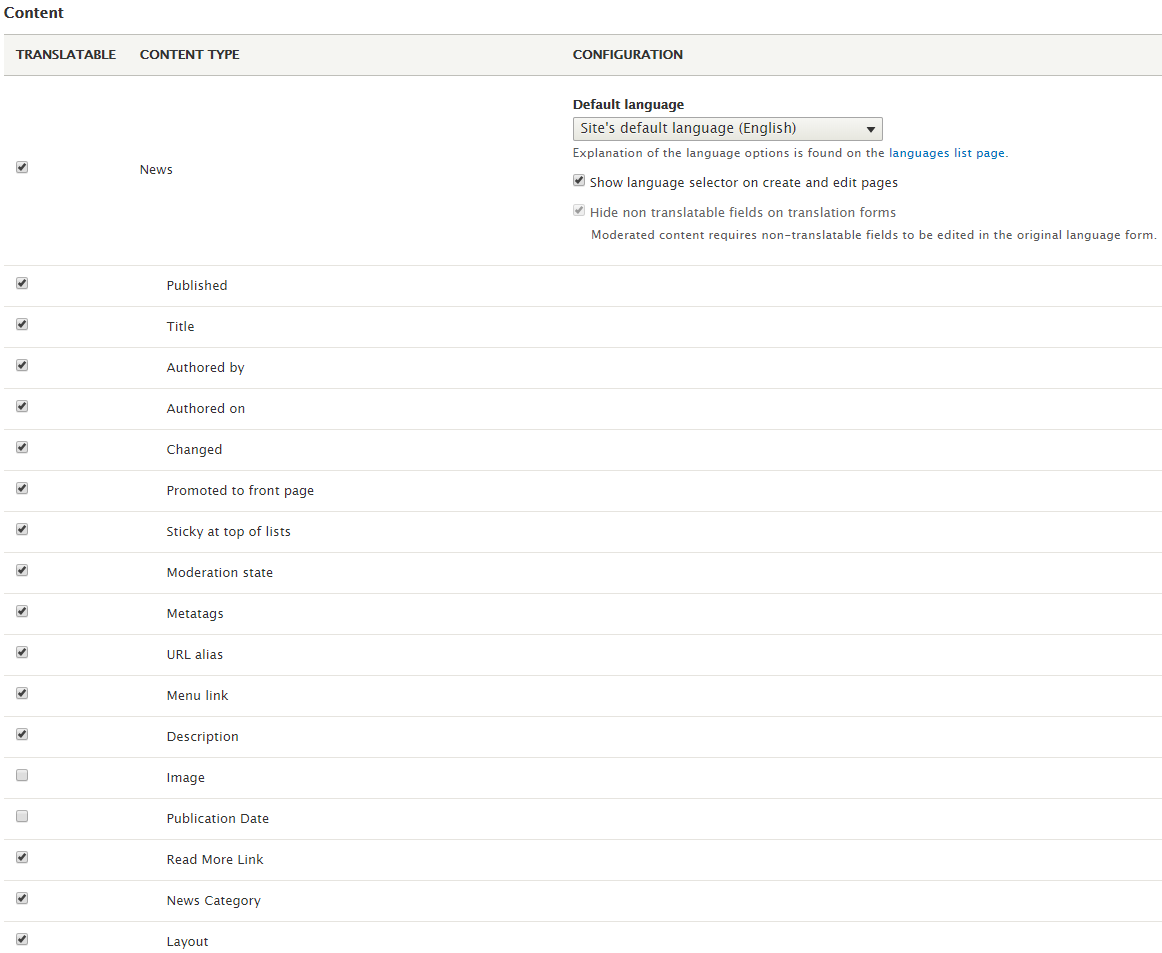
After translation is configured, editors can create content in the default language and then use the Translate tab to add translations in other enabled languages.
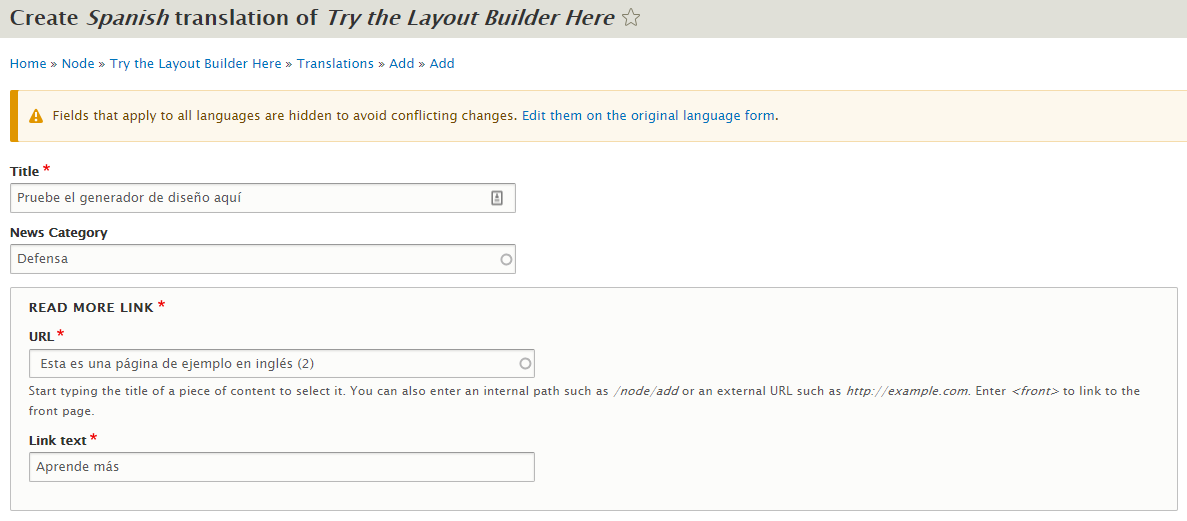
When an editor adds a translation, Drupal presents a translation form for the selected language. The form can include translated fields while keeping shared fields consistent across language versions.
The same general translation workflow can apply to other supported translatable entities, not just pages.
Interface Translation and Configuration Translation
Interface Translation helps translate text that appears in Drupal’s user interface, including administration screens and other interface elements. It can also be used to customize default interface text for a specific site.
Helpful hint: Interface Translation can also be useful when you want to adjust wording in the default site language. For example, you might change a default interface label to use terminology that better matches your organization.
Configuration Translation allows configuration-managed labels and settings to be translated. This can include items such as menus, vocabularies, views, block labels, site information, and other configuration-managed text.
Conclusion
Drupal’s multilingual tools help teams create, manage, and publish content across multiple languages. Site owners can add languages, configure which content and fields are translatable, manage interface translations, and translate configuration-managed labels.
For organizations that need to reach audiences in multiple languages, Drupal provides a flexible multilingual foundation that can support content translation, editorial workflows, and localized site experiences.